Role 01 · You, on your phone
The driver
Open the upload link, point the camera at any document, a coffee receipt is fine, and tap send. That's the driver's full job.

Live demo · No sign-up · ~30 seconds
Open the link below on your phone, photograph any document, and watch the stamped, GPS-located PDF arrive in the delivery portal, exactly the way a real driver and a real dispatcher experience it.
Step 01 · Open the driver upload form
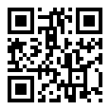
Scan with your phone camera. Opens podfy.app/demo. Nothing to install.
How the demo works
Role 01 · You, on your phone
Open the upload link, point the camera at any document, a coffee receipt is fine, and tap send. That's the driver's full job.
Role 02 · You, on this screen
Switch to the delivery portal in another tab and watch the stamped PDF appear with reference, GPS, and timestamp, the record an operations team would search by tomorrow.
01 — Driver side
Type an optional reference number above and tap Open upload. You will see the upload page a driver sees, one button, no login. Photograph any document: a delivery note, this page, your hand.
You'll see: a one-button camera screen branded with the demo slug.
02 — Submit
Your location is requested when you tap send, if you grant permission, GPS coordinates are added to the stamp. Enter a reference number if you like, or leave it blank. The upload completes in seconds on a standard 4G connection.
You'll see: an upload-progress line, then a "Sent" confirmation.
03 — Office side
Open the delivery portal in a separate tab. Your upload appears within seconds, with the timestamp, GPS label, and a downloadable stamped PDF.
You'll see: a fresh row in the portal, reference, GPS, timestamp, downloadable PDF.
04 — Driver side
If you filled in the Copy Email field at upload, a branded PDF confirmation arrives at your address, the same record a real driver receives and can access again at delivery.podfy.net via magic link.
You'll see: a branded confirmation email arrive at the address you entered.
Honest about the demo
Real
Placeholder
Questions
No. The upload form runs in your phone's browser, no app, no account, no download. The delivery portal is also a browser link.
It is stored on EU-jurisdiction infrastructure under the demo slug and auto-deleted within 24 hours. It is never used for training or shared outside your session.
The demo slug is public, so anyone with the portal link can see recent demo uploads. Do not upload anything confidential, use a blank sheet or a non-sensitive document instead.
Technically yes, but we recommend against it, the demo portal is not access-controlled. Use a placeholder document; the stamping and portal flow are identical.
The DIY demo uses a shared slug with no branding. A 15-minute walkthrough runs the same loop with your actual slug, your logo, and a reference from your real operations, so you see exactly what your drivers and dispatchers would see.
We will run the full loop using your slug, your branding, and a reference from your actual operations. Takes 15 minutes.